According to the 2025 Fountain Frontline Report, 57% of frontline candidates name a slow hiring process as their top frustration, and 52% cite ghosting. Behind both numbers is the same root cause: a sourcing engine that can’t keep up with how fast candidates make decisions.
For high-volume hiring teams, sourcing isn’t a quarterly project. It’s the engine that keeps every location staffed and every shift covered, week after week. This article covers 15 sourcing strategies that work across roles, plus the frontline-specific layer for teams hiring at scale.
What candidate sourcing actually is
Sourcing is the proactive identification and engagement of candidates, distinct from posting a job and waiting for applicants to show up. The goal of sourcing is a reusable talent pool you don’t have to rebuild every quarter.
When sourcing works, each hiring cycle starts with warm candidates already in your pipeline rather than a cold outreach scramble.
Why frontline sourcing needs its own playbook
LinkedIn-first sourcing wasn’t built for frontline candidates. Most of them aren’t on LinkedIn. They’re searching from a phone on a break, deciding between your opening and three others based on shift availability, location proximity, and whether you posted the pay.
Per Fountain’s Redefining Frontline Operations report, 60% of applicants abandon applications that feel too long or aren’t optimized for mobile. They expect to apply in under three minutes. If your process requires a desktop login and a resume upload, you’ve already lost them.
The 15 strategies below each need a frontline lens to work at the speed and scale your operation demands.
15 candidate sourcing strategies for frontline hiring (the full list)
A diversified sourcing portfolio is often stronger than relying on a single channel. The following strategies are producing results in 2026 across both general and frontline hiring:
1. Build a talent pipeline in your ATS
Starting from zero each requisition cycle wastes the pipeline you already built. Your ATS and CRM can keep silver medalists, past applicants, and qualified candidates warm with automated nurture campaigns.
For frontline teams, tag past hires by location and role type so you can filter by seasonal availability when demand spikes. Reactivation then takes minutes, not weeks.
2. Re-engage past applicants and silver medalists
The candidate who finished second on your last hire is your strongest lead for the next opening. Rediscovered candidates account for a meaningful share of sourced hires, yet most ATS systems bury them.
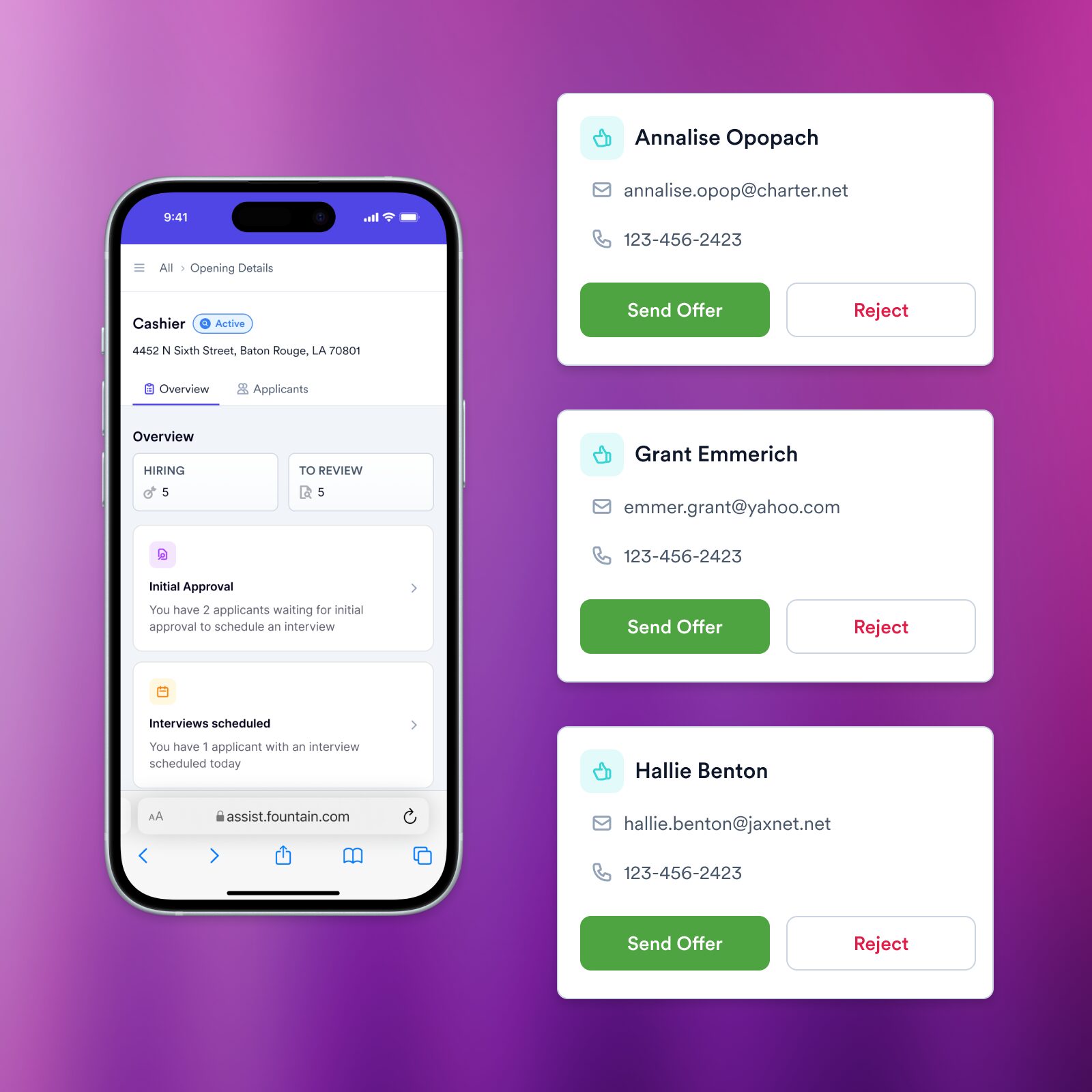
Modern platforms surface these candidates automatically and re-engage them with a text or call, not a manual spreadsheet search.
3. Bring back former employees (boomerangs)
Boomerang hires can ramp faster because they already know your operation. Boomerang hiring has risen in recent years. Anyone who left in good standing within the past 24 months is worth a call.
For frontline teams managing seasonal surges, a curated list of former employees, pre-tagged by role and location, turns a four-week sourcing scramble into a four-day reactivation campaign.
4. Run a real employee referral program
Referrals are often the highest-converting and highest-retaining source frontline employers have, and the easiest to underuse. The mechanics that separate a working program from a dormant one:
- Mobile-first sharing: Your team should share an apply link from their phone in two taps. Desktop login portals kill participation by week one.
- Pay at 90 days, not day one: A day one bonus rewards volume. A 90-day bonus rewards retention, which is what referrals are actually best at.
- Tier bonuses by role: Overnight warehouse, certified drivers, peak-hour line cooks: double or triple the base bonus on the roles that hurt most. Publish the tiers so employees know which referrals pay off.
- Auto-pay through payroll: A bonus stuck in finance approval for two weeks dies. Trigger the payout automatically at the 90-day mark.
- Run a leaderboard: A monthly Top Referrer note in the team chat or break room poster turns referrals into a recurring habit, not a one-time push.
Audit your last 50 hires before you launch. Find the five employees who referred them. Those are your power referrers. Ask them to share again this week, before you build the program around them.
5. Use in-store and on-site signage with QR codes
The candidate who’s already in your store, warehouse, or restaurant knows your brand. They’re closer to applying than anyone you’ll find on a job board. Place QR codes on the surfaces they’re already looking at: register displays, drive-thru window clings, break room posters, receipt footers, time-clock screens, and the back of name tags for referrals.
Point every code to a mobile-first apply flow with no more than five fields (name, phone, location, role, availability) and a UTM tag unique to that placement, so you can see which surfaces convert and which don’t.
Start with three surfaces in one location, run them for two weeks, kill the weakest, and roll the winners out across the chain.
6. Post on the social channels your candidates actually use
TikTok, Instagram, and Facebook groups can outperform LinkedIn for frontline roles. Start with one platform. Pick where your existing employees already post about work, and replicate the format. Short videos showing real shifts beat polished recruiter-style posts. LinkedIn still works for corporate roles; for frontline, follow your candidates.
7. Partner with community colleges, training programs, and workforce agencies
These partnerships build a steady, mid-funnel pipeline of candidates who are actively seeking work and often pre-trained. Workforce Innovation and Opportunity Act (WIOA) programs fund training and placement across multiple states, with documented placements in healthcare support, warehouse, and skilled trades roles.
For frontline employers in rural or underserved markets, these partnerships fill gaps that job boards can’t reach.
8. Run hiring events and open interview days
In-person events can still convert, but only when the handoff after the event is as fast as the conversation in the room. Most events fail not because the event was bad, but because the gap between “thanks for coming in” and “you start Monday” was long enough for a competitor to close. Run events with a same-day decision standard:
- Pre-load applications on tablets at the door so candidates fill them out while they wait.
- Screen on the spot with a five-minute mobile flow that captures role, location, and availability.
- Schedule interviews before the candidate leaves the building.
- Send the offer via SMS within 24 hours, signed on the phone.
Stitch Fix ran this kind of speed-first hiring at its warehouses with mobile-first workflows and automated screening, and saw day one show-up rates move from 68% to 95%. The same play works at hiring events: every hour between handshake and signed offer is a candidate you might lose.
9. Add text-to-apply and conversational apply flows
Phone-first applicants finish the application far more often than those forced through desktop flows. Text-to-apply bypasses the career site entirely: candidates text a keyword, receive a link, and complete a mobile application in just a few minutes.
Layer in conversational AI in recruiting on the back end, and the same SMS thread that captured the application can answer questions, schedule the interview, and confirm the start date without a recruiter touching it.
Bojangles ran this play across 750 locations and saw ~30% of text-to-apply candidates convert to hires.
To set this up:
- Pick a single keyword that’s easy to spell (“APPLY” or your company name) and one short code that works across carriers.
- Put the keyword on every customer-facing surface candidates see: register displays, drive-thrus, signage, receipts, and pay stubs.
- Limit the application form to five fields. The career site can capture more later; the SMS flow shouldn’t.
- Auto-route every text response to a screening agent that runs the knockout questions immediately.
The whole point is to collapse the gap between curiosity and commitment. A candidate who can apply between two stops on a delivery route sends it before the next address. The longer they have to think, the more of your competitors they consider.
10. Use programmatic job advertising tuned to your roles
Programmatic job advertising means bidding for ad placements automatically, by role and location, while filtering for applicant quality, not just clicks. The point isn’t ad spend optimization for its own sake. It’s reallocating budget away from the boards that produce ghosters and toward the ones that produce hires-who-stay. Practical setup:
- Connect cost-per-applicant data to 90-day retention by source: Ad cost is the easy number; retained-hire cost is the one that matters. You only know which boards are wasting money once you can see both.
- Bid by role and ZIP, not by job title alone: Frontline candidates apply within a 15-minute commute. A driver job in Phoenix shouldn’t bid against a driver job in Cleveland.
- Set a minimum quality bar, not a maximum spend: Cap by application quality (location match, availability match, knockout questions passed), not by raw click count.
- Cut the bottom three boards every quarter: Programmatic platforms surface this cleanly, but most teams never act on it. Reallocate the budget to the top performers.
Running this discipline for two quarters typically uncovers two or three boards eating 30-40% of spend with near-zero retained hires. That’s the budget you free up for referrals, talent pool reactivation, and the channels that actually produce.
11. Promote internal mobility and cross-location transfers
A current employee transferring to a different store, shift, or role is your fastest, cheapest hire and your strongest retention play. They already know your operation, the brand training is done, and the legal paperwork is mostly done.
Internal mobility for the frontline mostly fails for one reason: the path is invisible. To make it visible:
- Post internal openings on a mobile-accessible board: Not a corporate intranet that requires a desktop login. A simple page that employees can reach from their phone in three taps.
- Add a one-tap “I’m interested” button: Save the formal application for after a manager review. The first signal should cost the employee thirty seconds.
- Set a 48-hour acknowledgment standard: Internal applicants who hear nothing for a week assume no one read their request and stop trying.
- Track which locations get internal candidates and which don’t: Locations with zero internal candidates over six months have a culture problem the openings can’t solve.
Quarterly, ask managers to identify two people on their team who could move up or move over. Those names should go into your CRM as warm internal leads before any role opens.
12. Build a “keep warm” newsletter for your talent network
A monthly note to your talent pool keeps candidates warm between hiring cycles, and frontline employers underuse it. New locations, pay updates, and upcoming hiring events are enough content.
When you need to fill 50 roles in a week, the difference between a warm audience and a cold one is the difference between a campaign and a crisis.
13. Run seasonal pools you reactivate each year
If you hire 2,000 people every November, you don’t need to find them all over again. Last year’s seasonal workforce is your warmest pool of candidates. They’ve been screened, onboarded, and proven on the job.
Here’s how to bring them back when the next peak hits:
- Tag every seasonal hire by role, location, and end-status when they leave: “Eligible for rehire” should be a structured field, not a note in a spreadsheet.
- Start reactivation six to eight weeks before peak: Six weeks gives top performers time to choose you over a competitor; eight gives you slack if response rates lag.
- Lead with SMS, not email: Frontline candidates open texts within minutes. Promotional emails sit unread for days.
- Personalize the message with last year’s role and location: A generic “we’re hiring again” note converts far worse than “Hi Maria, the warehouse role you worked last November is open. Same shift, same location, $1.50 more per hour. Reply YES to come back.”
- Skip the steps you don’t need: A returning seasonal worker doesn’t need a fresh application. Pull their previous file forward and route them straight to scheduling.
Seasonal reactivation eliminates the sourcing cost for candidates you’ve already vetted, and gets warmth back in the pool weeks before competitors start posting.
14. Rediscovery across your existing database
Most companies already have the candidate they need buried in their database. They just can’t find them. CRM candidate matching searches your existing candidate and worker data to surface qualified matches for recruiter review on new openings.
The same AI agents that screen fresh applications can rank rediscovered candidates against the open req, so recruiters see warm leads ranked alongside cold ones in a single list.
To put this into practice, start with one search this week: pull every applicant from the past 12 months who passed your knockout questions but didn’t get hired. Sort by location and recency. The top of that list is who you call before you post a single new ad.
15. Write better job descriptions
Most sourcing problems are job description problems. The fix isn’t a copywriting exercise; it’s a discipline. To write a frontline job post that actually pulls candidates in:
- Lead with the keywords candidates search, not your internal title: Candidates type “warehouse worker overnight” into Google, not “Logistics Associate II.” Match how they search.
- Put pay in the headline: The candidates who insist on seeing pay upfront are also the ones most likely to stay. Hide the range, and you filter them out before they apply, leaving you with a pool that bounces the moment a competitor pays a dollar more.
- Describe the day, not the org chart: “You’ll unload trucks from 5 a.m., move pallets to staging by 7, and break for thirty minutes before the second wave” beats “reporting to the Ops Lead, you will participate in the inbound logistics function.”
- Cut the corporate disclaimers from the top: EEO statements, drug-free workplace language, and benefits boilerplate belong at the bottom, not paragraph one. Lead with the role.
- Stay under 200 words on mobile: A frontline candidate scrolls on a phone between shifts. Anything below the fold loses them.
- End with a one-tap apply: Not “submit your resume to careers@.” A single button that opens a five-field mobile flow.
Audit your top three highest-volume open roles against this list this week. Most teams find that at least three of the rules are broken on every post.
How to prioritize and measure sourcing channels
The right metrics are applications, hires, and 90-day retention by source, not just clicks. The channel that produces the most applications and the channel that produces hires-who-stay are often different.
Four metrics matter for every sourcing channel:
- Cost-per-applicant shows where volume is cheapest.
- Cost-per-hire shows where quality lives.
- 90-day retention by source shows where lasting hires come from. This one matters most.
- Time-to-hire by channel reveals which sources move candidates through your funnel fastest.
Cut the channels that produce applications but not retained hires. Fund the ones that produce hires-who-stay, even if they look expensive per click. Liveops ran this approach with a nine-person recruiting team, achieved a 48% reduction in time-to-fill, and hit a 100% fill rate by focusing resources on channels that converted.
The platform layer that runs your sourcing portfolio
Running 15 channels manually doesn’t scale. Most high-volume teams stitch together separate tools for sourcing, screening, scheduling, and analytics. Each handoff bleeds candidates and time.
Recruiters end up managing tools instead of engaging talent. Spend allocation goes reactive, candidate experience varies by channel, and pipeline data lives in silos that no one reconciles.
Fountain runs the portfolio as a single coordinated system through Frontline Superintelligence, the agent layer on top of the platform. Cue, the Fountain Copilot, is the orchestration layer. A recruiter types a goal in plain English. “Re-engage last year’s seasonal warehouse staff in good standing. Surface 200 for review by Friday.” Cue breaks the goal into the right tasks across products and agents, then runs them.
Three named agents work under Cue:
- Anna (AI Recruiter) conducts voice and SMS interviews 24/7, scores candidates, and pushes qualified applicants to TA managers. 74% of frontline applicants choose Anna over a scheduled recruiter call, per the Frontline Report.
- Emma (24/7 Support) answers candidate questions across SMS, voice, and chat at every funnel stage. Candidates aren’t waiting on a recruiter at 9 p.m.
- Sam (Engagement) takes the pulse of new hires after Day 1 and surfaces retention risk before the worker quits.
The platform underneath is built for high-volume frontline hiring. Sourcing handles programmatic distribution across job boards, social, and ad networks, CRM holds the talent pool that surfaces past applicants and silver medalists, ATS runs mobile-first applications at scale, and Onboarding covers I-9 and first shift readiness.
The win is running a diversified portfolio that Cue, Anna, Emma, and Sam can sharpen over time, with hiring teams still owning the sensitive decisions. The more consistently you reuse and enrich your talent pool, the less you spend on last-minute sourcing.
Every unfilled shift is overtime, lost revenue, and a worn-out crew. The employers who build this muscle now will staff faster and spend less than those still posting to a single job board and hoping for the best.
Book a Fountain demo to run your entire sourcing portfolio from a single system.
Frequently asked questions about candidate sourcing strategies
What’s the difference between sourcing and recruiting?
Sourcing is the proactive identification and engagement of candidates before they apply. Recruiting, on the other hand, encompasses the full process from sourced candidate to hired employee, including screening, interviewing, and offer management. Sourcing feeds the top of the funnel; recruiting converts that pipeline into hires.
What is passive candidate sourcing?
Passive candidate sourcing targets people who aren’t actively job-hunting but would consider the right opportunity. In frontline hiring, passive candidates include former employees who left on good terms, seasonal workers between peak periods, and referrals from current team members.
Reaching them requires outbound channels like text campaigns, referral links, and talent pool reactivation rather than job board postings they’ll never see.
What sourcing tools should frontline employers actually use?
A practical frontline sourcing stack usually combines four capabilities:
- An ATS/CRM for pipeline management and candidate reactivation
- Programmatic job advertising for multi-channel spend allocation
- Conversational apply flows for mobile-first candidates
- CRM candidate matching to surface qualified matches already in your database for recruiter review
Many teams prefer to consolidate these into a single system rather than stitch together point solutions, and Fountain positions its platform as an all-in-one solution for that approach.
How many sourcing channels should we use at once?
There’s no universal number, but many high-volume frontline employers run multiple channels simultaneously, including programmatic job ads, referrals, talent pool reactivation, text-to-apply, and at least one community or event-based pipeline.
The key is measuring retention by source and pruning channels that generate applications but not lasting hires.