According to Fountain’s Redefining Frontline Operations research, the average time from application to offer in the U.S. is 27.5 days, and frontline candidates who need to start earning this week are often gone in days. They apply from their phones, submit to multiple openings at once, and take the first concrete offer that comes through. A process that takes nearly a month to produce an offer letter loses those candidates before a recruiter opens their file.
The operational cost hits immediately. Unfilled shifts, overtime spend, and burned-out managers pulling double coverage follow every delayed hire. Fragmented systems and too many apps for a single task slow hiring further.
This guide covers every stage of recruiting automation, from implementation to platform evaluation, with the operational lens frontline hiring demands.
What is recruiting automation?
Recruiting automation is the use of technology, both rule-based workflows and agentic AI, to handle the repetitive, predictable steps in hiring so recruiters focus on judgment calls. Modern platforms combine deterministic rules (auto-rejecting candidates who fail knockout questions, sending stage-transition messages, routing applicants by location) with AI agents that conduct voice interviews, draft candidate outreach, and surface qualified applicants for recruiter review.
Adoption is no longer experimental. According to Fountain’s Agentic AI for Frontline Workforces research, 67% of recruiters now use AI tools, up from 35% in 2020, and applicant volume has climbed more than 45% year over year. The teams catching up are the ones building automation into the hiring funnel rather than bolting it on after the fact.
Knowing how the two automation layers work helps buyers evaluate what they’re actually getting versus what a vendor’s marketing implies.
Rule-based automation vs. AI agents
Rule-based automation is deterministic. A trigger sends a reminder text 24 hours before an interview. The system runs the same way every time, following if/then logic a human configured. Common examples include auto-rejecting candidates who don’t meet knockout criteria, sending status update emails at stage transitions, and routing applicants by location.
AI agents, by contrast, support judgment with human oversight. An agent can screen candidates based on voice interview responses, organize insights against role requirements, and move qualified applicants forward for recruiter review. The process is data-driven and contextual, but final hiring decisions stay with people.
SHRM’s 2026 TA report describes AI agents as “rapidly evolving from tools into collaborators,” capable of perceiving context and executing multi-step workflows without waiting for human prompts.
The distinction between the two layers matters when evaluating what a platform actually does. However, the most effective frontline hiring stacks combine both: rules to handle predictable transitions, agents to handle judgment-adjacent work.
What recruiting automation covers, stage by stage
Every stage of hiring has at least one repetitive task that doesn’t require a human. Walking the funnel shows where automation pays off fastest.
- Sourcing: Multi-board job posting, programmatic ad spend allocation, talent pool re-engagement, and candidate matching from existing databases.
- Screening: Knockout questions, agentic AI voice interviews, availability and location matching. In high-volume environments, some employers use conversational AI to automate most process steps and complete screening and scheduling quickly.
- Candidate communication: Stage-triggered SMS, email, and WhatsApp messages. Chatbots for FAQs at any hour. Automated stage-transition messages close the ghosting gap before drop-off happens.
- Interview scheduling: Calendar sync, self-scheduling links, automated reminders. In high-volume environments, scheduling can become a meaningful drag on recruiter time.
- Assessments: Skills and fit tests triggered and scored automatically at the right funnel stage.
- Offers, background checks, compliance: Digital offer letters, automated background check initiation, I-9 with E-Verify, certification verification triggers, and document collection.
- Onboarding handoff: Pre-Day 1 paperwork, training routing, and Day 1 readiness checklists pushed to new hires on their phones.
The pattern is consistent across every stage. Automation handles velocity. Humans handle judgment.
How recruiting automation differs for frontline hiring
Automation built for desk-based hiring breaks under frontline volume. According to Fountain’s Redefining Frontline Operations research, 60% of applicants abandon applications that aren’t optimized for mobile, and 70% of HR employees use three to six apps to complete a single task. Those numbers describe a system designed for someone else.
Frontline hiring operates under structurally different conditions. Candidates apply on mobile, often on the go. Same-week start dates are common. A single shift posting can draw heavy applicant volume, and ghosting runs high because workers take the first concrete offer. Speed matters more in frontline hiring than in any other category, and hospitality, retail, and logistics employers lose candidates within days of application when no offer comes through.
Frontline automation must solve for mobile-first applications, speed-to-screen in hours, SMS and WhatsApp communication, multi-state compliance, and multi-location coordination. Many employers still apply similar automation approaches to frontline and knowledge worker roles, which is the core implementation error for high-volume hiring.
The benefits of recruiting automation
The point of recruiting automation is connecting hiring speed to business outcomes. Five benefits show up consistently in deployments at scale.
- Faster time-to-hire. Faster hiring fills shifts before competitors do, which means lower overtime and fewer last-minute coverage calls.
- Reduced manual burden. Automation triages high-volume application pools so recruiters spend their time on candidate relationships rather than spreadsheet work and reminder texts.
- Better candidate experience. According to the 2025 Fountain Frontline Report, 74% of frontline workers prefer AI-driven interviews over waiting for a scheduled call, and 52% cite ghosting as a top frustration. Stage-triggered SMS and 24/7 candidate support close the gaps that drive drop-off.
- Consistency and compliance. Across Fountain customers, E-Verify errors requiring manual intervention dropped to 0.6%. Process doesn’t degrade under volume when the system enforces it.
- Data to improve. Funnel analytics show where candidates stall, which channels produce hires who stay at 90 days, and where recruiter time goes. That visibility feeds the next quarter’s hiring decisions.
Each benefit compounds. Faster hiring fuels retention, which lowers hiring volume next quarter and frees more recruiter time for the candidates who need it.
What to automate and what to keep human
Automate high-frequency, low-judgment tasks. Keep humans on consequential decisions. That line, repeatable versus contextual and mechanical versus relational, is where automation pays off without breaking the experience.
Six task categories cover the majority of recruiter hours in high-volume environments and should be automated end-to-end.
- Job distribution: Push the same req to ten boards in one click, with budget caps that auto-pause underperforming channels.
- Acknowledgment messages: “We got your application. Here’s what happens next.” Sent within 60 seconds. Too many companies still fail to engage job seekers immediately after they click apply.
- Knockout screening: Three or four yes/no questions (“Do you have a valid driver’s license?”, “Are you available weekends?”) filter out non-qualified applicants before a recruiter sees them. Bojangles, the QSR chain with 750 locations across the Southeastern U.S., auto-disqualified tens of thousands of applicants this way.
- Scheduling logistics: Self-scheduling links tied to live calendar availability, with automated SMS reminders.
- Status updates: “Background check started,” “Offer extended,” “Day 1 paperwork due Friday.” Triggered at every stage transition.
- Document collection and compliance: I-9 with E-Verify, certifications, background-check kickoffs.
Four categories sit on the other side of the line and should stay with people.
- Final offer decisions when judgment is involved, such as compensation flexibility or role fit beyond qualifications.
- Culture and reliability calls that screening data can’t capture from a 60-second knockout question.
- Exception handling when a candidate’s situation doesn’t fit the standard flow, including visa status, schedule conflicts, and returning workers.
- Relationship-building with high-value candidates who need extra support to stay engaged.
There’s one guardrail worth emphasizing across both columns. Per SHRM, 19% of organizations using automation in hiring report their tools have screened out qualified applicants. Any screening AI needs bias safeguards: audit logs, fairness testing across protected groups, and human review of borderline cases. Those are requirements, not features.
How to implement recruiting automation
Most automation rollouts fail because they start with the tool, not the funnel. However, frontline hiring is not lacking tools, it’s lacking intentional design.”
A first move you can run this week: pull the last 50 hires and map elapsed time at each stage from application submitted through Day 1. The two longest stages are where automation pays off first.
From there, a phased approach works best. Start with one or two high-friction points, typically screening and scheduling. A parallel run of two to four weeks, one cohort hired the old way and one through automated workflows, produces a clean comparison of time-to-fill, drop-off, and 30-day retention.
The dashboard should exist before the new process goes live. Median application-to-offer days, no-show rate at orientation, and 90-day retention are the metrics that define success. The system should integrate with the existing HR stack rather than replace it. Fountain integrates natively with leading HCM systems including UKG, SAP, ADP, and Workday for this reason.
Implementation is a 90-day learning loop, not a launch event. The cycle is run, measure, adjust, scale.
How to choose a recruiting automation platform
The question that cuts through comparison noise is whether the platform’s core architecture was designed for the kind of hiring you actually do, or built for someone else’s hiring and adapted.
These criteria separate platforms that pass that test from those that don’t:
- Built for your hiring type: The first question is whether the platform was designed for shift work or salaried roles. Dedicated frontline career-site experiences are still uncommon among ATS vendors built for enterprise hiring.
- Mobile-first, not mobile-adapted: The application flow should survive a one-thumb test on a phone. Many applicants abandon applications that aren’t optimized for mobile, so anything that makes a candidate scroll, pinch, or upload a resume on their phone bleeds applicants.
- Funnel coverage: Single-stage point solutions create data silos that fragment the candidate experience. The platform should cover sourcing through onboarding under one funnel.
- Integration depth: Native connectors with the existing HRIS or HCM are a requirement, not a nice-to-have. Most enterprise frontline employers run their hiring system alongside UKG, SAP, ADP, or Workday.
- Compliance at scale: I-9, E-Verify, ban-the-box timing configurable by jurisdiction, and immutable audit trails. Compliance demands are increasing across U.S. states and the EU. This is enforcement-driven, not optional.
- Agentic capability: Named AI agents in hiring that support screening, scheduling, and follow-up while recruiters and hiring teams make final decisions.
During demos, ask the questions that expose real capability. “Can I see the full candidate experience on a phone, from apply to offer, in under five minutes?” “Show me how your system handles a compliance change across 15 states.” “What happens to a candidate who qualifies at 2 a.m. on a Saturday?”
The answers separate platforms that ship for the frontline from platforms that demo well for it.
Common mistakes in recruiting automation
The five mistakes below fall into a single pattern: automating without knowing what’s broken, what to measure, or who owns the configuration. Each one is recoverable, but recovery starts with naming the failure mode.
- Automating a broken process: If your application takes 25 minutes on mobile, automating the rejection email makes the bad experience faster. Map the process before building automated hiring workflows on top of it.
- Treating mobile-adapted and mobile-first as the same thing: A site that works on mobile is not the same as one designed for one-thumb completion in under two minutes. Test the application end-to-end on a phone before assuming mobile coverage.
- Over-automating until the experience feels robotic: Fully automated funnels can outperform on speed but lose at the offer stage. Stitch Fix, the personal styling and fulfillment retailer, treats human interaction at the offer stage as essential. Day 1 show rates rose from 68% to 95% across its warehouse hiring.
- Measuring activity instead of outcomes: “Emails sent” is not a hiring metric. Median application-to-start days, no-show rate at orientation, and 90-day retention are.
- No named admin owner: Knockout questions, job board integrations, and workflow templates require ongoing maintenance. Without a single accountable owner, automation logic degrades over time.
These mistakes are all recoverable. The audit step that prevents them is the same one that drives implementation: map the funnel, name the metric, assign the owner.
How Fountain runs recruiting automation for the frontline
Fountain’s Frontline Superintelligence is purpose-built for frontline and high-volume hiring, not a corporate ATS adapted for frontline roles. The system covers the full funnel, orchestrated by Cue, the single entry point to every agent on the platform.
A recruiter prompts Cue in plain language (“Hire 25 drivers before Monday,” “Re-engage seasonal applicants from last year, good standing only”) and Cue breaks the goal into orchestrated tasks across products and agents:
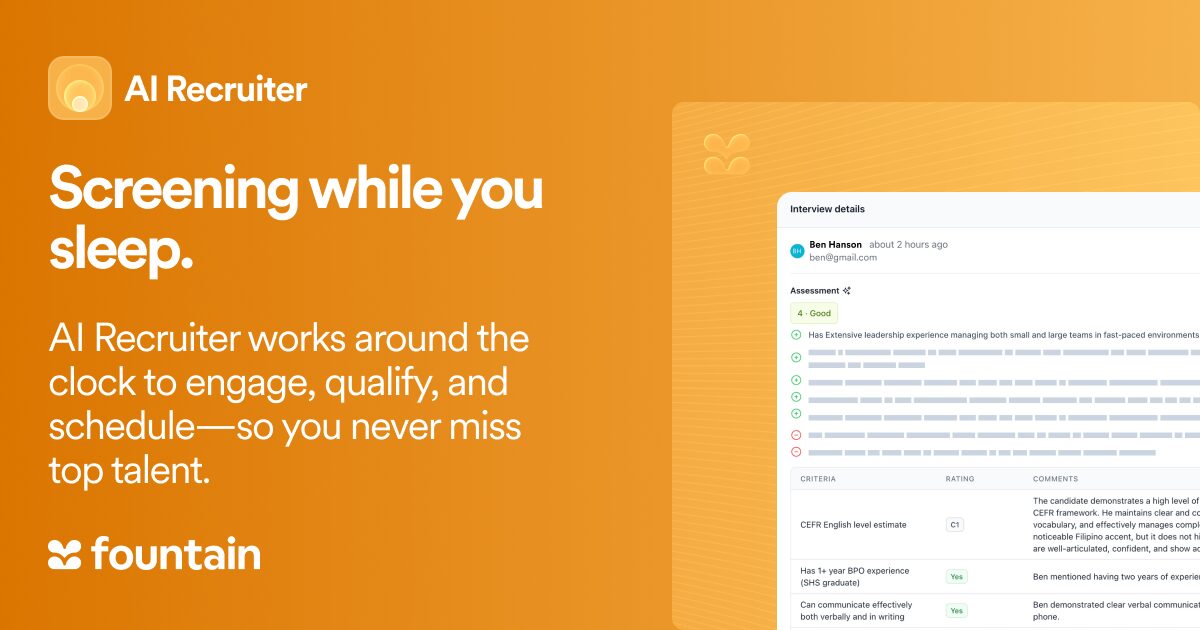
- Anna conducts voice interviews around the clock and surfaces candidate insights for recruiter review.
- Emma answers candidate questions on SMS, WhatsApp, and web at any hour, keeping hiring moving without recruiter touch.
- Sam takes the pulse of new hires through Day 1 and beyond, surfacing retention risks early enough to act on them.
Onboarding then guides new hires through paperwork, including I-9 and W-4 forms.
The products underneath, Sourcing, CRM, ATS, Onboarding, and Shift & Scheduling, are mobile-first and built for frontline reality.
That combination of agentic orchestration and frontline-native products shows up in customer outcomes. At Fetch, a package delivery platform serving 300,000 apartment units, Anna cut time-to-hire from 15 days to 6.5 hours, with a 125% increase in hire rate. The same speed advantage shows up at Alto, the luxury rideshare service, where three recruiters expanded the company from one market to five and hired 450 drivers in six months, with Anna lifting interview completion from 28% to 54%.
If you’re evaluating recruiting automation for shift work, retail, logistics, hospitality, or any environment where speed-to-hire decides whether shifts get covered, book a Fountain demo. We’ll walk through how Cue and the agents underneath could fit your funnel, with proof points from companies hiring at your scale.
Frequently asked questions about recruiting automation
What is recruiting automation?
Recruiting automation is the use of technology to handle repetitive hiring tasks, including screening, scheduling, messaging, and document collection, without manual recruiter involvement. For frontline employers, automation frees recruiters to focus on candidate fit and judgment calls.
How is recruiting automation different from an ATS?
An ATS tracks applicants through stages. Recruiting automation runs the work between stages, sending messages, scoring candidates, scheduling interviews, and triggering compliance steps. Modern frontline systems combine both, so the ATS becomes the system of record while automation keeps candidates moving through it without manual intervention.
Will AI replace recruiters?
No. AI handles velocity: screening thousands of applicants, scheduling at scale, and sending status updates around the clock. Recruiters handle judgment. Final hiring decisions, exception management, and relationship-building with candidates who need support stay with people.