The average time from application to offer in the U.S. is 27.5 days, but most frontline workers need to start earning within the week. By the time you’ve sent them a job offer, they’ve already accepted a job that will get them paid faster.
Every day a role sits open means unfilled shifts, overtime for the rest of the team, and lost revenue. When replacing a single worker already costs between $6,500 and $7,000, a slow hiring process turns normal turnover into a compounding problem.
Automated hiring workflows compress the path from application to onboarding by connecting every stage of frontline recruiting into a single, rules-driven sequence.
Instead of recruiters toggling between disconnected tools and manually nudging candidates through each step, triggers fire automatically. For example, screening launches when an application lands, scheduling links deploy when screening passes, and background checks initiate when offers are accepted.
Each stage moves candidates forward or flags them for human review, with every step connected to the next.
This article lays out six steps for building an automated hiring workflow that fills shifts faster, reduces recruiter burnout, and keeps candidates moving from apply to first shift without stalling.
What is an automated hiring workflow?
An automated hiring workflow is a series of connected, rules-based steps that move candidates from application through the hiring cycle with minimal manual input. The workflow coordinates across your applicant tracking system (ATS), human resource information system (HRIS), background check provider, scheduling system, and onboarding tools so each stage triggers the next:
- Application submission triggers screening
- Screening completion triggers scheduling
- Offer acceptance triggers onboarding and compliance checks
Many teams already use individual automations, like a tool that sends calendar links after screening or an email sequence that fires after an application lands. But automating one step doesn’t fix the gaps between steps. An automated hiring workflow connects every stage end-to-end, so no stage depends on a recruiter remembering to copy data from one system to another.
Frontline hiring adds variables like shift-based scheduling, location routing, and certification requirements that corporate recruiting workflows rarely account for. When you’re filling hundreds of roles across dozens of locations, a workflow that can’t handle that variability breaks down fast.
The six steps below walk through how to build an automated workflow that accounts for these realities, from mapping your current process through measuring results and refining over time.
Step 1: Map your current process and find the bottlenecks
Before you automate anything, document what you’re automating. Organizations that skip process mapping automate broken workflows faster, not better. Start by mapping the full journey from application to Day 1 for one high-volume role at one location.
Walk through every step and identify every manual handoff: where does a recruiter copy-paste data, send a reminder by hand, or toggle between systems?
Here’s what this looks like in practice:
- Pick your highest-volume role at your busiest location
- List every step a candidate goes through: application, screening, interview scheduling, interview, offer, background check, onboarding.
- For each step, write down who does what, which system they use, and how long it takes.
- Circle every point where a person manually moves information between systems.
Those circles are your bottlenecks. The most common bottleneck patterns in frontline hiring fall into three stages:
- Screening: Per the 2025 Fountain Frontline Report, 57% of candidates cite slow hiring as their top frustration. Manual screening of high applicant volumes is a direct cause. Recruiters spend hours sorting through applicants in the ATS when rules-based filtering could handle the initial qualification pass.
- Background checks and compliance: Sequential processing, such as waiting for background checks to complete before starting onboarding tasks, adds days that frontline candidates won’t tolerate. I-9 Section 2 must be completed within three business days of hire. Any delay in this sequence creates both compliance risk and candidate drop-off.
- Interview scheduling: Per Fountain’s Agentic AI research, AI scheduling tools deliver 79% faster time-to-interview compared to manual coordination. Recruiters spending hours on back-and-forth scheduling is one of the biggest time drains in frontline hiring.
This step is about identifying where manual work creates the most candidate drop-off and recruiter burden, so you know where automation will generate the highest return.
Step 2: Define your trigger points and automated actions
Once you’ve mapped the process, define the events that kick off each automated step and the actions those events trigger. Every stage in your workflow needs a clear trigger, a corresponding action, and a routing rule for exceptions.
A trigger is any event that advances the workflow. That includes application submitted, screening criteria met, interview completed, offer accepted, and document uploaded. Each trigger fires one or more automated actions, from status updates and SMS nudges to scheduling links, background check initiations, and manager notifications.
Frontline workflows require branching logic that corporate recruiting rarely needs. Your routing variables should be captured at application intake because everything downstream depends on them.
- Location: Route candidates to the correct site-specific hiring manager queue.
- Shift availability: Match against open shift requirements and flag mismatches for human review rather than auto-disqualifying.
- Certification status: Trigger parallel credential verification that runs concurrently with screening, not after it. Healthcare roles need license verification; logistics roles need CDL checks; food service needs handler certifications.
- Application completeness: Trigger a completion nudge sequence before advancing incomplete applications.
Each stage should either move the candidate forward or flag them for human review. No dead ends and no silent queues where applications sit until someone remembers to check.
Step 3: Automate the high-impact stages first
Not all automation delivers the same return. Posting to more job boards won’t help if candidates stall at screening or scheduling. The highest-performing teams focus automation on the mid-funnel stages where manual work creates the most friction and candidate loss.
Your highest-leverage automation targets, in priority order:
- Interview self-scheduling: Per Fountain’s Agentic AI research, AI scheduling tools deliver 79% faster time-to-interview. Sending self-scheduling links immediately after screening is the single fastest way to compress time-to-hire because it eliminates the back-and-forth that stalls candidates for days.
- Post-application acknowledgment: Per the 2025 Fountain Frontline Report, 52% of candidates cite ghosting or lack of updates as a top frustration. An automated confirmation with next steps keeps candidates engaged before competitors reach them.
- Screening and qualification routing: Automated knockout questions and rules-based routing eliminate manual applicant sorting. Define your minimum qualifications (location, availability, certifications) as filters that run the moment an application lands. Recruiters only see candidates who already meet the baseline, instead of manually reviewing every resume in the queue.
- Offer-to-onboarding communication: Automated reminders between offer acceptance and start date reduce confusion and no-shows, especially when they include the new hire’s shift assignment, manager name, and a single clear action item.
Start with a single high-volume role or location, then prove results before scaling across the organization.
Step 4: Layer in AI for the steps that rules can’t handle
Rules-based automation handles predictable, linear sequences well. But frontline hiring also throws problems at you that rules can’t anticipate. This can be a sudden volume spike from a seasonal campaign, or a sourcing budget spread across channels with no visibility into which ones actually produce hires.
Where AI adds leverage on top of your workflow:
- Voice screening at scale: AI-powered phone screening handles volume spikes without adding headcount. Candidates complete screening on their own schedule, 24/7, instead of waiting days for a recruiter to call. This compresses the slowest part of the funnel, the gap between application and first human conversation, from days to hours.
- Talent pool re-engagement: A CRM with AI-powered matching can surface past applicants from your existing database against current requirements and trigger automated outreach. Every hire sourced from an existing pool reduces the need for new sourcing spend.
- Sourcing spend reallocation: AI-driven sourcing tools can reallocate budget away from underperforming job boards based on which channels actually produce hires, not just clicks. Without this visibility, most teams keep spending on channels out of habit rather than data.
- Workflow refinement: AI copilots can flag low-completion stages and give hiring teams data to refine message timing inside configured workflows, helping teams remove friction that manual reporting might miss.
The key distinction is that rules handle the choreography. AI handles the adaptive, high-volume tasks that rules can’t address. Humans make the final call on every hire.
The goal is a system where all three layers work together, with clear handoff points between automated steps, AI-assisted decisions, and human judgment.
Step 5: Build compliance and fairness into every step
Compliance requirements aren’t a post-hire review step. They’re a mandatory input to workflow design, especially for organizations operating across multiple states.
Three areas need to be built into your workflow from the start.
I-9 verification
Section 2 must be completed within three business days of the employee’s first day of work. Per Fountain’s I-9 Audit Guide, fines range from $288 to $2,861 per paperwork violation, and up to $28,619 per worker for repeat offenses of knowingly employing unauthorized workers. Any automated onboarding workflow needs a hard deadline counter from day one, with escalation alerts before that window closes.
Speed matters here, but not at the expense of compliance. Bojangles proved you can have both: they reduced time-to-hire from 30 days to 5.8 days across 750 locations while maintaining compliance standards across every location.
Background check sequencing
Under the Fair Credit Reporting Act (FCRA), if a consumer report results in an adverse action, the candidate must receive notice, information on how to obtain the report, and an opportunity to dispute or correct it. Build pre-adverse and adverse action notice steps into your workflow as automated triggers so these requirements are met consistently, not left to individual recruiters to remember.
State-level AI employment laws
New obligations are arriving fast:
- Illinois HB 3773, effective January 1, 2026, adds notice and anti-discrimination requirements around AI use in hiring
- California FEHA ADS, effective October 1, 2025, apply to algorithmic tools that assist employment decisions
- Colorado SB 24-205, effective June 30, 2026, requires annual impact assessments and gives applicants the right to appeal AI-driven adverse decisions with human review
Across all three areas, the same principle applies: every automated decision in your workflow needs a log trail for audits and bias reviews.
Human review checkpoints belong at high-stakes decisions from the start, not retrofitted after a compliance incident.
Step 6: Measure, refine, repeat
Without measurement, you can’t tell whether your workflow is producing results or just running faster on the same broken track.
The KPIs to track from day one:
- Time-to-hire
- Application completion rate
- Drop-off by stage
- Interview show rate
- Offer acceptance rate
- Recruiter actions per hire
Use funnel analytics (the stage-by-stage view of where candidates enter, advance, and exit your hiring process) to diagnose problems at specific stages. If candidates drop at scheduling, the trigger timing or channel is wrong. If they ghost after offer acceptance, the offer-to-onboarding communication sequence needs work.
Your pre-automation baseline is the benchmark. For example, GoFor measured their onboarding process before and after consolidating it into a single automated workflow. Time-to-onboard dropped from 30 days to five, an 83% reduction, and applicant attrition fell 62%. The numbers justified expanding automation to additional roles and locations.
From six steps to one connected workflow
The six steps above follow a deliberate sequence: map before you automate, prioritize mid-funnel over top-of-funnel, layer AI on top of rules, build compliance into the architecture, and measure against a pre-automation baseline.
But the sequence only works if the stages actually connect. Stitching together point solutions recreates the same fragmentation problem that manual processes have: manual handoffs between disconnected systems, where candidates disappear.
For frontline hiring at scale, the architecture matters as much as the automation logic inside it.
Fountain connects sourcing, screening, scheduling, onboarding, and compliance in one intelligence layer built for frontline hiring volume:
- Sourcing tracks and reallocates sourcing spend based on which channels produce hires, not just clicks.
- ATS runs configurable workflows by role, location, and brand with automated screening and candidate self-scheduling.
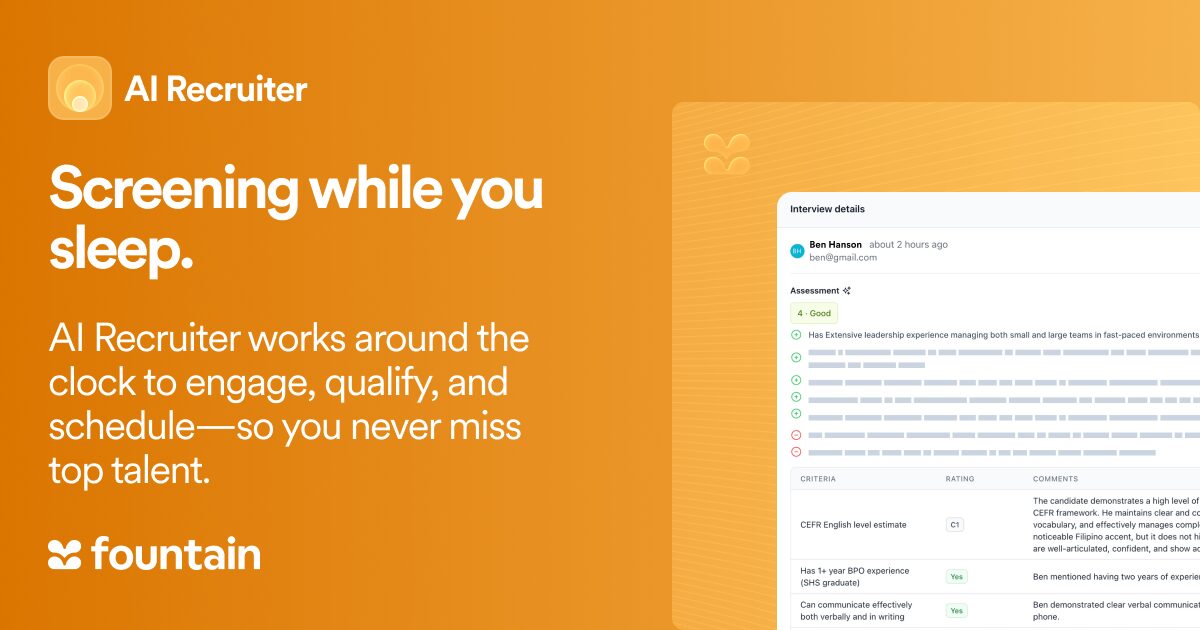
- Anna, Fountain’s AI Recruiter, screens, schedules, sources, and engages candidates 24/7, so your team focuses on the final hiring decision.
- CRM re-engages past applicants and former workers, reducing sourcing costs by activating candidates already in your database.
- Onboarding triggers automatically at offer acceptance with mobile-first document collection, task tracking, and compliance verification, including I-9 completion and E-Verify integration.
Book a demo to see how Fountain connects sourcing, screening, and onboarding in a single frontline hiring workflow.
Frequently asked questions about automated hiring workflows
How long does it take to set up hiring automation for frontline roles?
Implementation timelines vary. Teams that start with a single high-volume role at one location often move more quickly than organizations trying to automate every role and site at once.
The prerequisite that takes the most time is process mapping: documenting your current hiring journey and defining trigger points before configuring automation.
Do automated hiring workflows integrate with existing HR systems?
Yes. A well-built workflow connects to your existing stack rather than replacing it. The integration points that matter most for frontline hiring are your HRIS or HCM, background check providers, scheduling systems, and payroll.
The goal is bidirectional data flow so that a hire in your ATS automatically creates a record in your HRIS, triggers onboarding tasks, and populates payroll without anyone copying data between systems.
Which frontline industries benefit most from hiring automation?
Any industry hiring hourly workers at volume. Retail, quick-service restaurants, logistics, staffing, and healthcare see the largest gains because they share the same pressure points: high turnover, seasonal surges, multi-location hiring, and candidates who take the first offer that moves fast. In all of these cases, the team that hires fastest wins.